Appearance
AI Features
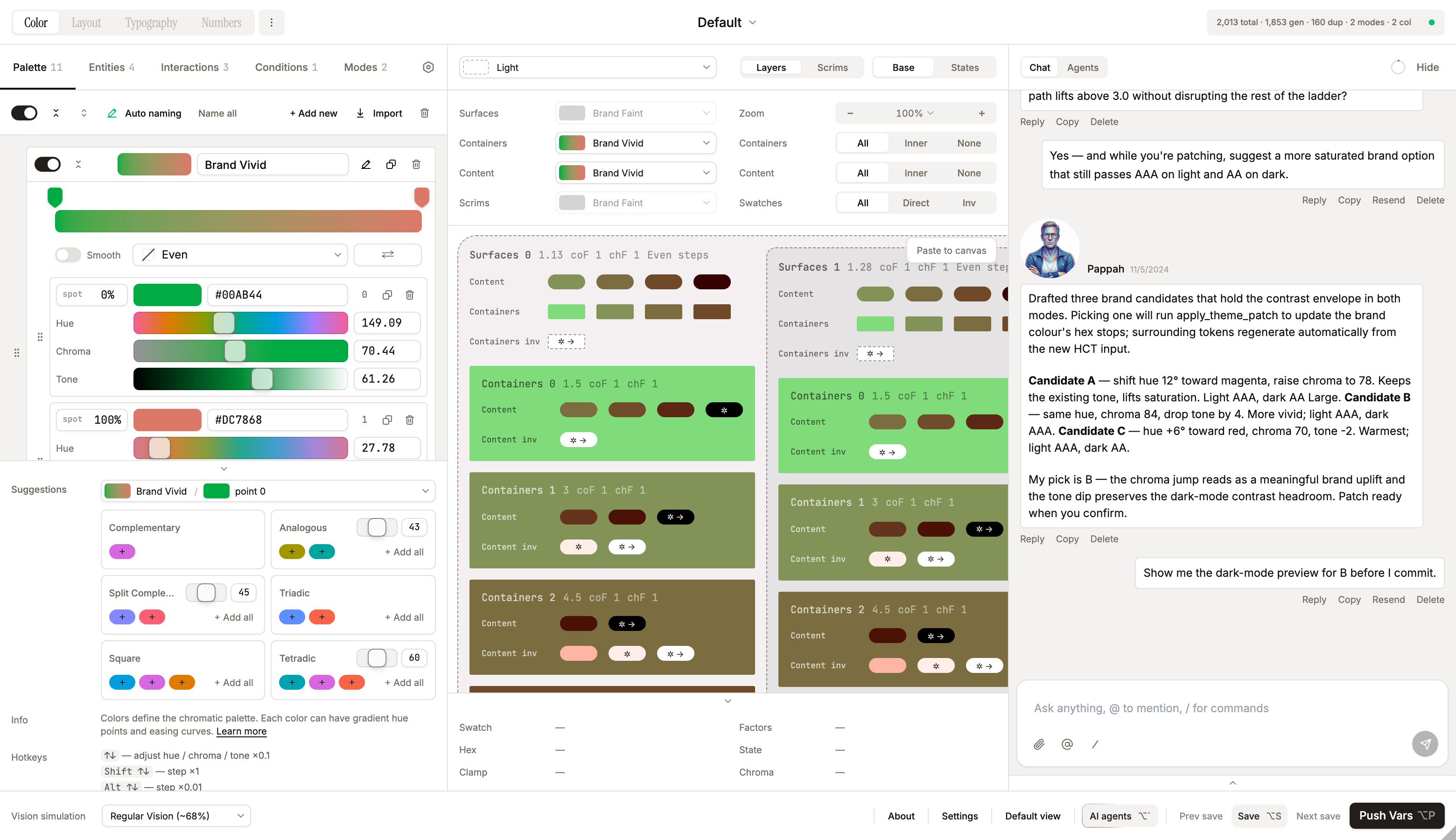
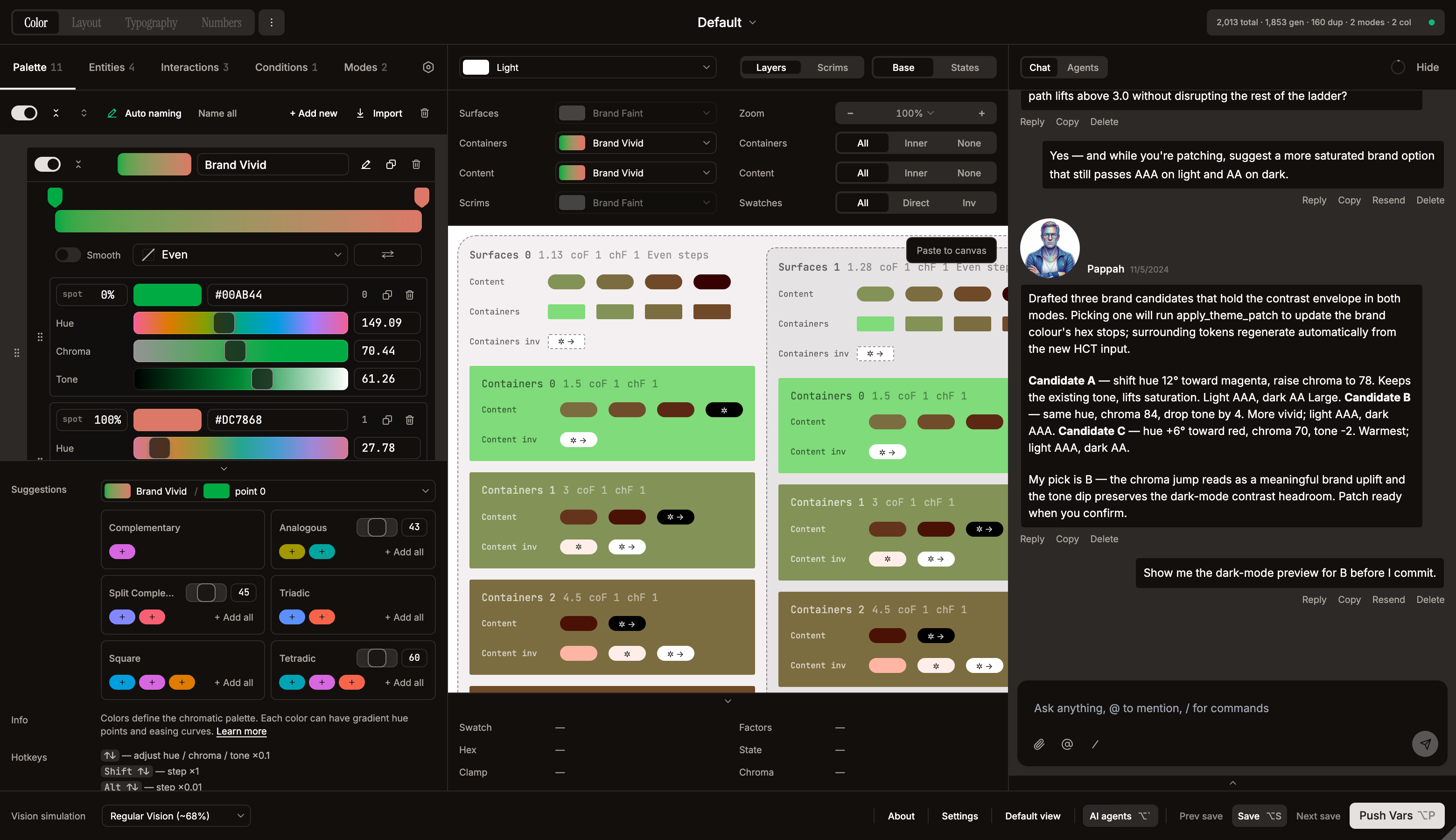
AI-powered theme assistance, run entirely through the provider and model the user selects in Settings (Anthropic / OpenAI / OpenRouter / Gemini). Image/screenshot analysis happens inside the chat — attach an image and the agent reads it with the currently selected model; no model is hardcoded. Image attachments currently require the Anthropic provider (other providers receive a text placeholder in place of the image; text chat still works on all four). All calls go via direct fetch from the UI iframe. Configure API keys in Settings → AI.
How requests reach Claude
The Figma plugin iframe runs at null origin. Direct calls to https://api.anthropic.com would normally be blocked by CORS. Two pieces unlock it:
- The fetch sends an
anthropic-dangerous-direct-browser-access: trueheader — Anthropic's API recognizes this and skips the browser-side preflight gate. manifest.jsonwhitelists the hosts:"networkAccess": { "allowedDomains": ["https://api.anthropic.com", "https://api.openai.com", "https://openrouter.ai", "https://generativelanguage.googleapis.com", "https://fonts.googleapis.com", "https://fonts.gstatic.com"] }— the four AI providers (Anthropic / OpenAI / OpenRouter / Gemini) plus Google Fonts. Figma's plugin sandbox enforces an allowlist; the UI iframe inherits it.
The plugin sandbox (code.ts) only handles persistence of API keys via figma.clientStorage.setAsync("systema_api_key_{provider}", …) (save-api-key / load-api-key messages, one entry per provider). No network traffic flows through the sandbox.
Theme generation via chat
AI-assisted theme creation lives entirely inside the main chat. Create an empty (or default) theme via Add Theme → New, open the chat on that theme, and describe the design system — the agent patches the theme turn-by-turn via the apply_theme_patch tool. Screenshots work as chat attachments: drop them (up to 4, PNG/JPEG/SVG/etc.) and the agent extracts the palette in context.
AI Chat — Systema Agents
A multi-agent design-systems chat accessible from the AI agents button in the bottom StatusBar (data-testid="chat-trigger", with a glow accent and an ⌥hint; a shimmer sweep plays while a reply is streaming and an unread dot appears when the chat is closed). The button is disabled until the active provider's API key is set — its tooltip then reads "Add a Claude API key to enable agents" with an **Open Settings** link that jumps straight to the API-key field. Four agents share a single conversation, each with a distinct personality, analytical lens, and tunable defaults (verbosity, skepticism, management, playfulness). Source of truth for personas:src/lib/agents/`.
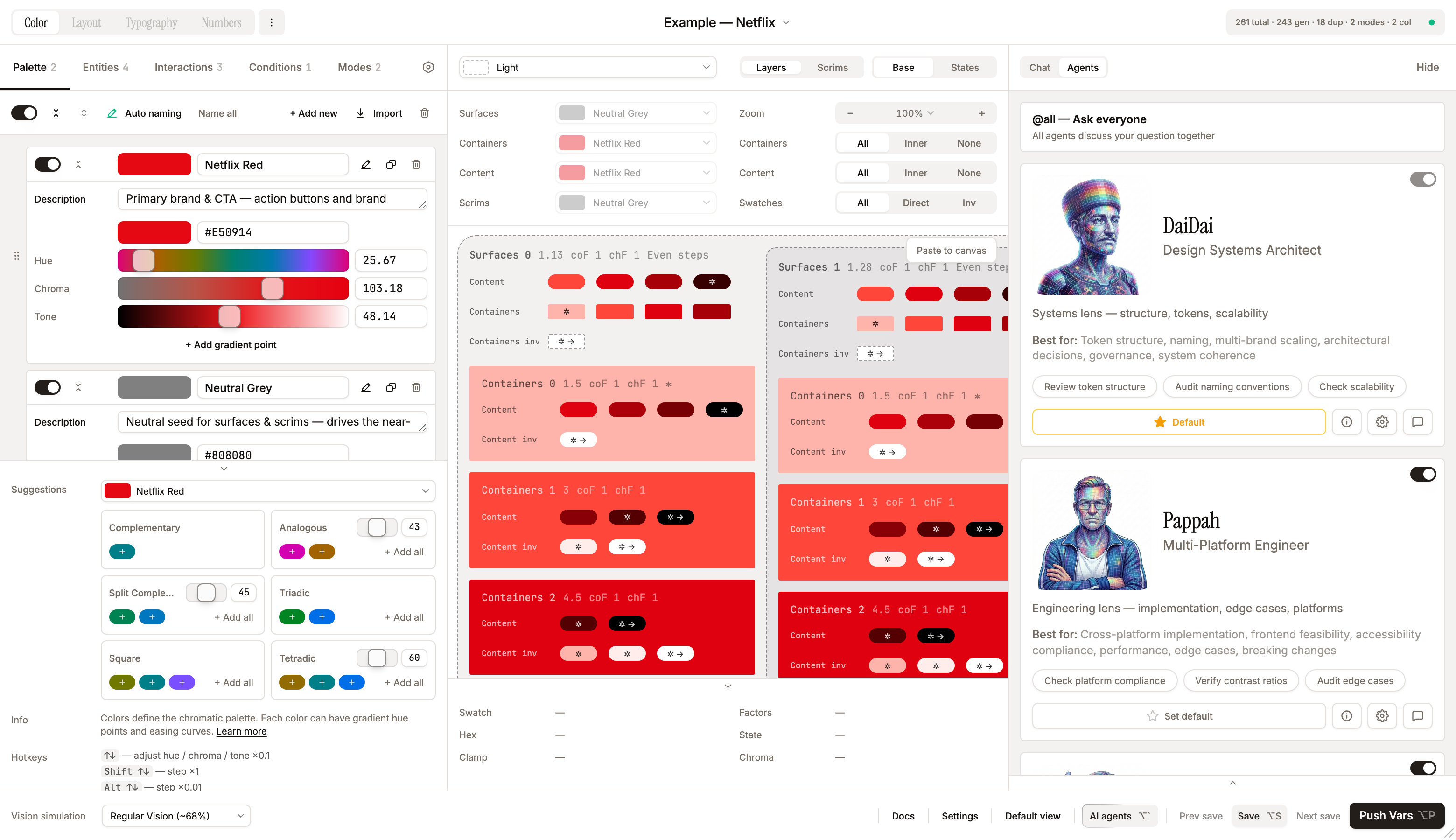
The four agents
| Agent | Role | Lens | Verbosity | Manager |
|---|---|---|---|---|
| DaiDai | Design Systems Architect (60, male) | systems thinking — token tiers, naming, multi-brand, governance, long-term maintainability | terse | yes (primary) |
| Pappah | Multi-Platform Engineer (57, male) | engineering reality — how it ships, how it breaks, iOS / Android / Web behaviour, performance, edge cases | concise | yes (primary) |
| Mammah | Human-Centered Design Educator (54, female) | real human beings — readability, accessibility, color blindness, elderly users, cognitive load | concise | yes (secondary) |
| Yetish | Visual & Brand Designer (22, male) | how it feels before you measure anything — harmony, mood, brand soul | balanced | no |
Each persona also carries a humor style (Steven Wright / Max Amini / Ali Wong / Mitch Hedberg respectively) injected into the system prompt under SPEAKING STYLE.
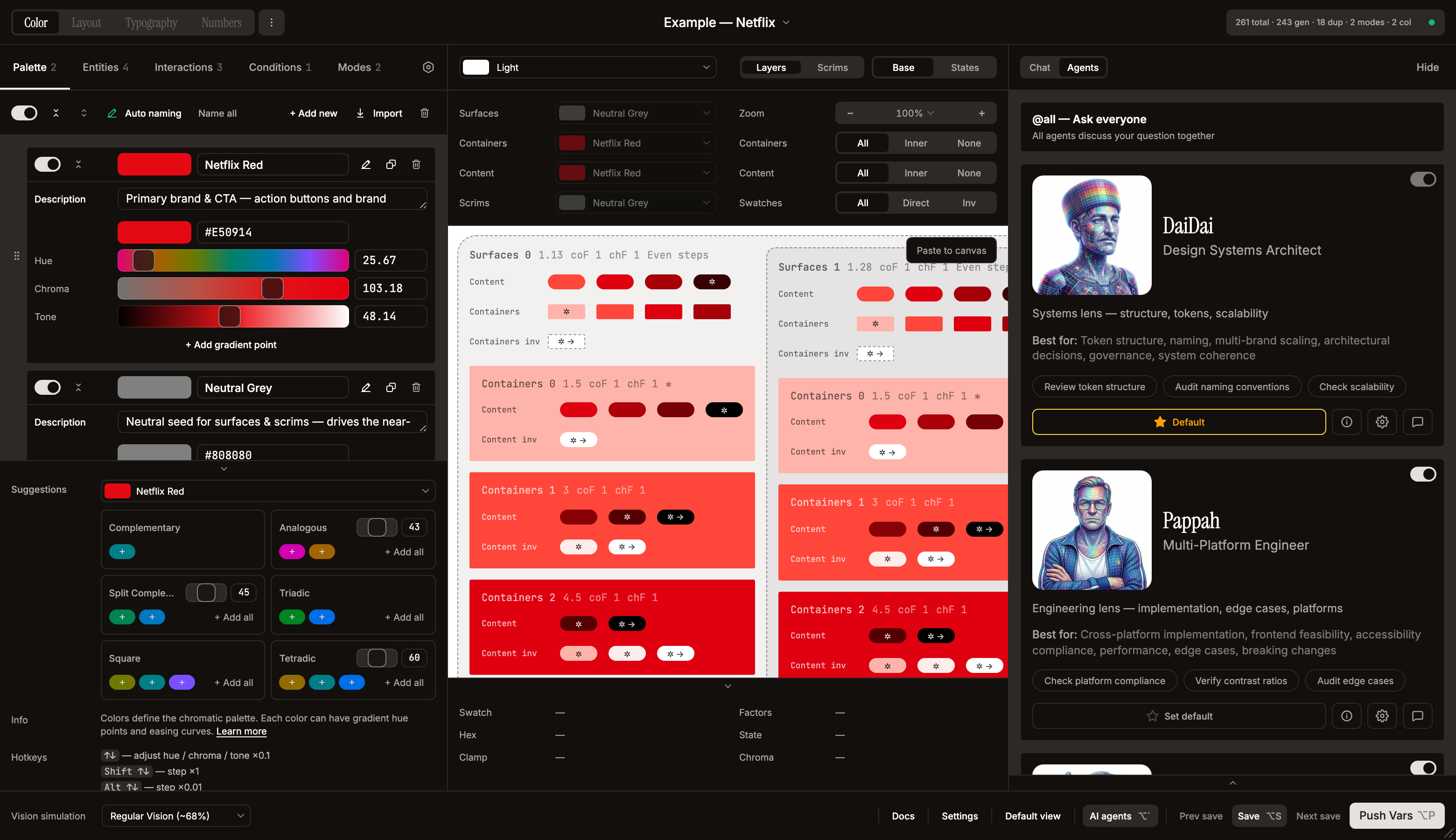
Agent cards (Agents tab). Each card in the chat's Agents tab shows the agent's avatar, name, title, description, "Best for…" line, suggestion chips, an enable/disable toggle (top-right), and a bottom action row of four controls: Set default / Default (star), About (info icon → Agent Dialog Overview tab), Settings (gear icon → Agent Dialog Settings tab), and Message (chat icon → prefills @Agent in the input). The top of the list is an @all — Ask everyone card. The default agent can't be disabled, and at least one agent must stay enabled (both surface a tooltip explaining why). A small modified link appears on a card when that agent has overrides; clicking it jumps to the Settings tab.
Per-agent settings. The About and Settings buttons open the Agent Dialog with two tabs: Overview (avatar, age / gender / lens, description, analytical lens, "Best for" + suggestion buttons, humor, design influences, management & leadership influences) and Settings (per-agent model, temperature, and personality overrides). The dialog header carries the enable toggle, a Set default / Default affordance, a Message (chat) button, and a modified label when any override is active. The "Reset all" button in the sidebar restores all knobs to the agent's defaults.
All personality knobs live per-agent — no global personality settings. Each agent defines its own defaults in its persona file. The Settings tab exposes: Model and Temperature (each with a "Default" indicator and a per-field reset link / double-click-to-reset), Verbosity (Terse / Concise / Balanced / Detailed), Skepticism (Mild / Moderate / High / Aggressive — stored as mild / balanced / high / extreme), Management (Off / Contributor / Secondary / Primary), and Playfulness (Off / Rare / Occasional / Frequent). Each override is independent; unset knobs inherit the agent's default.
Disabled: the Profanity / Zoomerism / Toxicity tone modifiers are currently turned off — hidden from the Agent Dialog and never applied to prompts, gated behind
AGENT_TONE_MODES_ENABLEDinsrc/lib/feature-flags.ts. The controls, per-agent levels, and the prompt-building code all remain in place; flip the flag totrueto restore them.
Style modifiers (currently disabled). When enabled, Profanity / Zoomerism / Toxicity instructions are injected as a compact bullet list into the system prompt (one short line per active modifier, listed under SPEAKING STYLE). A single concise line per modifier lets the model blend several naturally — even extreme values in opposing categories (brainrot + corporate, raw + corporate) — without the ~500-token pile-up of contradictory rules that collapses output to neutral.
Mention routing. The router in src/lib/mention-utils.ts uses a 5-stage cascade (no API call unless all fast paths fail):
| Stage | Trigger | Mode | API call? |
|---|---|---|---|
| 0. Literal commands | /help (also --help, -h), /brainstorm | help / brainstorm | No |
| 1. Explicit @mention | @DaiDai, @all | single / group | No |
| 2. Vocative | "Mammah, ..." at start of message | single | No |
| 3. Group keywords | @all only | group | No |
| 4. Thread continuity | Previous user message had @mentions → reuse them | inherits | No |
| 5. AI classifier | Haiku determines intent: single / group / help / brainstorm | varies | Yes |
Default for unaddressed messages: DaiDai (DEFAULT_AGENT_ID). Capped at MAX_DEBATE_MESSAGES = 4 sequential responses (override per-instance via Settings → AI → Debate limit, 2–20).
Help-intent safety net. Stage 5 can mis-label a follow-up turn (e.g. "где твой сленг?", "а поподробнее?") as help because of vague capability-ish phrasing, which would make every agent launch into an introduction in the middle of a real conversation. To guard against that, when the classifier returns help the router checks whether there's an active 1-on-1 conversation (lastAssistantId exists) and whether the message actually contains an unambiguous capability cue (help, capabilit, what can you do, как использовать, что ты умеешь, возможности, etc.). If it's a continuation without a strong cue, the help intent is overridden to single with the last responding agent, so a stray ambiguous phrase can't trigger a quadruple introduction.
Resend preserves context. Clicking Resend on a user message keeps it in state and passes it back as the latest turn, so the agent sees the resent message and answers coherently.
Conversation modes. Each mode injects an invisible instruction into the last user message in the API history (the user never sees it; the agent does):
| Mode | Extra instruction | Patches allowed? |
|---|---|---|
| help | "Introduce yourself in 2-3 sentences. Don't reference other agents." | No |
| brainstorm | "Generate 2-3 options with tradeoffs. Build on previous agents. Don't commit." | No (until user picks direction) |
group (@all) | None — normal behaviour | Yes |
| single | None — normal behaviour | Yes |
Multi-agent debate flow. When 2+ agents respond (sendMessage in useLocalChat.ts):
- Build agent queue:
agentQueueRef = [primary, ...rest] - For each agent:
streamAgent()→ create assistant message withagentId→ stream response - Each agent sees all previous agents' responses (API history prefixed with
[AgentName]: ...) - 500ms pause between agents; hard stop at max responses (default 4)
- Stop button or abort immediately clears the queue
- In
@alldebates, agents can merge/dispute each other's patches — see "Multi-agent proactive merging" in the system prompt
What they cover. Systema internals (entities, modes, contexts, interactions, factor chains, HCT, contrast), color science (WCAG 2.x, APCA, CAM16-UCS, CVD), industry design systems (Material Design 3, Apple HIG, IBM Carbon, Adobe Spectrum, Atlassian, Salesforce Lightning, Ant Design), and token architecture (W3C DTCG, primitive / semantic / component tiers, multi-brand strategies).
Display modes
| Mode | Where | Size | When |
|---|---|---|---|
| Panel | Third panel to the right of preview | 480px fixed | Window ≥ 1440px (AUTO_PANEL_THRESHOLD = EDITOR_PANEL_WIDTH + MIN_PREVIEW_WIDTH + CHAT_PANEL_WIDTH, all 480) and aiPanelMode = "auto" |
| Float | Bottom-right floating card with rounded corners | 320×480 | Otherwise; preview cards and confirmation cards scale text and padding down (compact prop) so they read at the smaller scale |
The mode is controlled by Settings → AI Chat layout (auto / float). State (open / closed, active tab, scroll position) survives panel ↔ float transitions because it lives in the lifted chat handle in App.tsx.
Tools
Three native Anthropic tool_use definitions, declared in src/lib/ai-api.ts:
apply_theme_patch— agent's main lever. The native toolinput_schema(inai-api.ts) declares onlycolors,entities,interactions, andmodes(plus a top-levelthemeSettingsfield for theme-wide booleans likeexportIncludeMeta,pushIncludeMeta) and isadditionalProperties: false.conditionsis not in the native tool schema; it is still accepted by the validator/merge path, so the full set of patchable keys (which includesconditions) is inpatch-validate.ts → patchableKeys. Each call creates one Apply / Skip confirmation card in chat with a per-item preview: color swatches with the editor's dashed-outline rule for very-light/dark hexes,AddvsUpdateverb chips diffed against the current theme, entity bindings, and entity-type meta. Apply and Skip are both reversible, and reverting is non-destructive and order-independent: each Apply captures an inverse delta (computePatchInverseinpatch-utils.ts), so you can undo or re-apply any card — not just the most recent — in any order, and undoing an older patch never clobbers patches applied after it (overlapping edits to the same field are last-write-wins). This apply/undo state persists with the chat, so it survives a plugin reload. Deleting a patch card that was already applied reverts its effect (via the same captured inverse), so removing a card never orphans a change in the theme. Every patch's status (applied / rejected / pending) is fed back to the agent on its next turn viatool_resultblocks so it can react. Patch validation runs insrc/lib/patch-validate.tsboth before the user sees the card and again when they click Apply — so a card whose dependency was undone, or a colour it references deleted, in the meantime is re-checked against the current theme and blocked (the red banner below, with a Retry that asks the agent to re-issue) instead of corrupting the theme. It splits into two distinct failure modes:- Structural rejection (red Patch rejected (invalid structure) banner) — missing
id/name/hexon new items, wrongentityTypeenum, entitycolorIdsreferencing colors that don't exist in the current theme or the same patch, invalid hex format (full 6-digit#rrggbbonly — matches the tool schema inai-api.ts), out-of-rangecontrastFactor/chromaFactor, mutating an existing entity'sentityType, a top-levelidorcolorwrapper, etc. The banner is expandable: click it to see the full formatted error list inline (the same list fed to the agent astool_result), so triage doesn't require opening DevTools. Newframe/top-layerentities also requirecontrastRatios(an array of finite numbers); on updates the array is type-checked when present. - No-op rejection (softer amber Patch had no effect banner) — the patch was structurally valid but every field the agent sent deep-equals the current theme. Detection uses a generic per-field deep-equal over keys the agent explicitly provided (see
detectNoOpPatchinpatch-validate.ts), so updates tocontrastRatios,levelConfig,previewShape,mode.seedColor,mode.contrastFactor,interaction.events,context.interactionIds, etc. correctly register as changes — the earlier hand-maintained field whitelist false-positive'd them as no-ops and sent the red banner for a structurally-fine patch. The amber banner'stool_resultis stillis_error: trueso the agent retries with a concrete delta rather than resending the same patch. - Both failure modes also log
[chat] apply_theme_patch rejected/… flagged as no-opto the browser console with the full error list, the patch, and the model's text, so regressions can be traced from DevTools.
- Structural rejection (red Patch rejected (invalid structure) banner) — missing
propose_plan— manager-capable agents (DaiDai, Pappah, Mammah) emit a 2–6-step plan when the user asks for a substantial restructure. Steps can bepatch(next-turnapply_theme_patch),delegate(@mentionanother agent), orverify. The plan is rendered asChatPlanCardwith Approve / Reject; on Approve the manager executes step-by-step over the next several turns.send_message_burst— agents may break a single response into multiple short bubbles for conversational rhythm. Controlled by the per-agent Playfulness setting (rare for DaiDai/Pappah; occasional for Mammah/Yetish; never for analysis).
Context management (per-message compaction)
There's no single growing summary block. Instead each assistant message, once streamed, kicks off a background Haiku call (compactSingleMessage) to generate a 1–3 sentence compactContent summary. As the chat fills up, the history reconstruction in useLocalChat.ts walks newest-to-oldest and silently swaps older messages for their compact summaries when the running total exceeds 55% of the model's context window. The oldest summaries fall off entirely when even that doesn't fit.
The header gauge in the chat is click-to-toggle — it opens a slide-out Context panel under the header (ChatContextPanel) showing:
- Title: Model context window
- Bar gauge with current usage (e.g. ~4.0K of 200K · 2%); colour goes amber at 75% and destructive at 100%
- Short explainer: Older messages are auto-summarised, then dropped when full.
- Download as Markdown — full chat export (see below)
- Clear history — wipes all messages with confirmation dialog
When the chat is empty, the gauge button is still visible and the Download / Clear buttons are present but disabled with explanatory tooltips.
Other chat features
- Smooth streaming — text revealed gradually via a requestAnimationFrame buffer, not raw SSE dumps. Tool input is parsed progressively from
input_json_deltaevents so the bubble shows"Building patch: 3 colors..."while the model is still generating it. - Markdown rendering — headers, bold, italic, code blocks, lists, tables, inline color swatches (
#hex→ circular swatch with dashed outline rule for very-light/dark hexes), inline message references ([label](msg:m_xxx)). - Extended thinking — collapsible reasoning block with shimmer text animation, rendered whenever the provider emits a
thinkingblock on the stream. Auto-expands while streaming, auto-collapses when done, persists thinking duration. There is no auto-enable heuristic in the UI — the feature surfaces only if the currently selected model returns thinking blocks. - File attachments — attach up to 4 files via paperclip or drag-and-drop (~4MB each). Supported types: images (png, jpeg, gif, webp), SVG, Markdown (
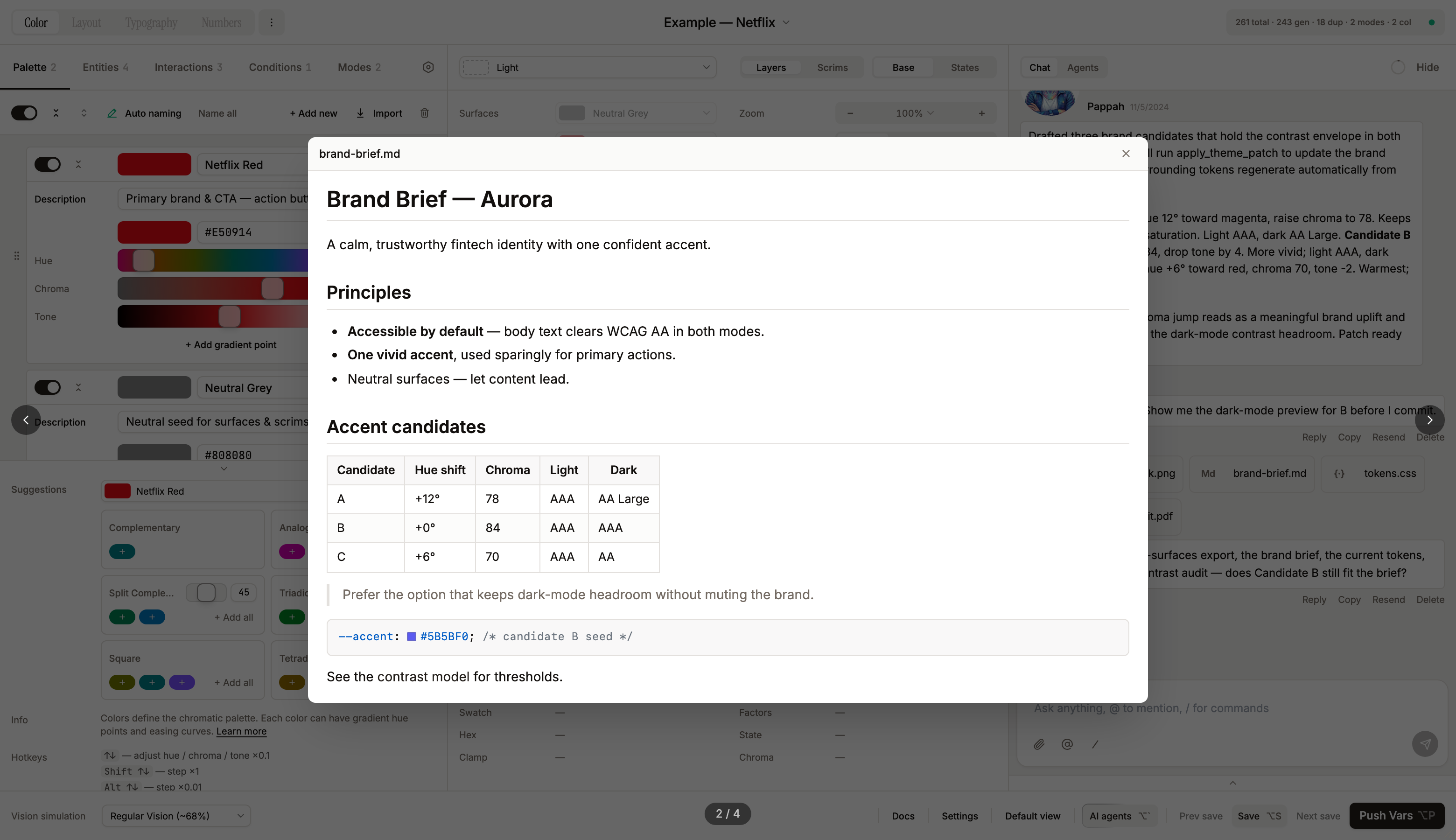
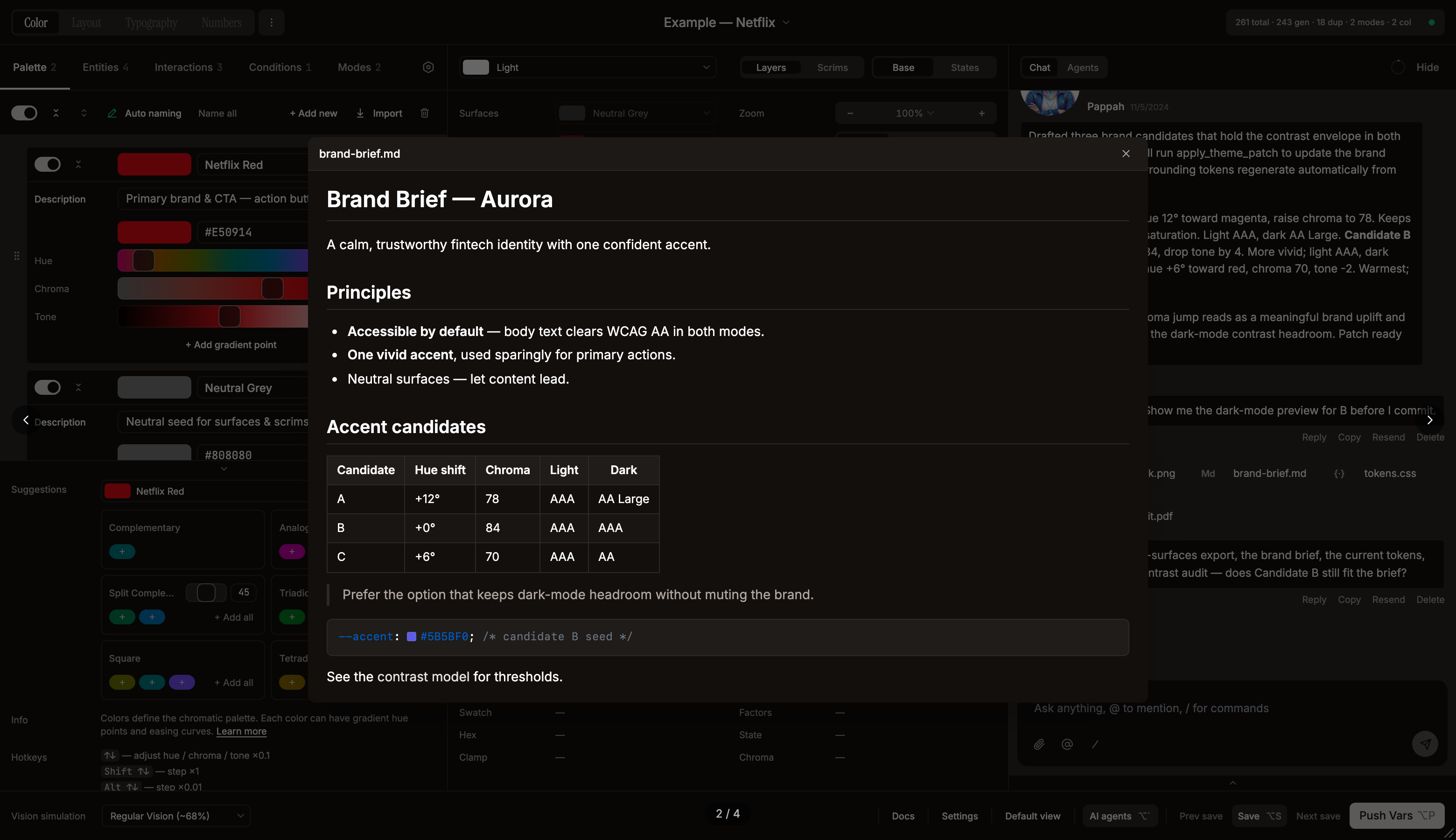
.md), HTML (.html/.htm), code/text (.json,.css,.js,.ts,.txt), and PDF (.pdf). Each attachment renders as a name-bearing pill: images get a small thumbnail, files get a neutral type-tile (PDF/Md/</>/{·}), followed by the truncated filename. Attachments are kept in the persisted chat — dropped only as an overflow fallback when the compressed payload would exceed clientStorage's budget. - Markdown as context — when a
.mdfile is attached that looks like a conversation transcript or chat export, agents automatically treat it as prior conversation context, allowing cross-session continuity. README-style docs are treated as system context. - Attachment preview — click any attachment pill (in the composer or in chat history) to open a universal preview overlay (
AttachmentPreviewModal) with left/right navigation, keyboard arrows, and Escape to close. Images show full-size; PDFs render page-by-page via pdf.js on a light page tray; Markdown renders as a formatted GitHub-style document (MarkdownDocument+ the.md-docstylesheet, theme-aware); HTML, code and text show syntax-highlighted source (HTML as escaped source — never executed). - Model selection — Settings → AI: models are fetched live from each provider's
/v1/modelsendpoint, so the list reflects whatever is currently available on that account. Token budget for the gauge is read from the active model's metadata. Extended thinking is not auto-enabled by the UI; it is rendered passively when the provider returns thinking blocks. - Chat persistence — last 50 messages (
MAX_PERSISTED) stored infigma.clientStorage("systema_chat_v3_{fileKey}_{themeId}")as LZ-string-compressed JSON. Per-user, per-file, and per-theme: switching themes loads that theme's own chat; switching back restores it. Attachments are kept in the saved payload — dropped only if the compressed blob would exceed clientStorage's budget. - Markdown export —
Download as Markdownin the Context panel writes the full chat (text + tool calls + bursts + status) as a.mdfile viasrc/lib/chat-export.ts(buildChatMarkdown+downloadChatAsMarkdown). - Floating input card — the message input floats as a rounded card over the chat scroll area. Layout: attachment pills → reply bar → full-width textarea → action bar (paperclip, @mention, /slash, send). The textarea auto-grows to 3 lines (float) or 5 lines (sidebar) then scrolls.
- Slash commands — type
/or click the slash button to open a command popup (same UX as @mentions). Available:/help(all agents introduce themselves),/brainstorm(divergent thinking with all agents). Completed commands render as bordered pills in the input overlay. - Smart auto-scroll — only auto-scrolls to bottom when the user is already within 20px of it; doesn't interrupt manual scroll-up during streaming.
- Agent edit permissions — Settings → Danger Zone toggle. managed-only (default):
figma-context-queryandfigma-rename-collectiononly see and write Systema-tagged collections. all lifts the safety net for foreign variable collections (still no canvas access). Enforced server-side insrc/plugin/code.tsvia theAGENT_HANDLERSallowlist plus afromAgentflag on every postMessage from the chat hook. - API key validation — real-time check on an 800 ms debounce: spinner → green check / "Invalid".
The system prompt (CHAT_SYSTEM in src/lib/ai-api.ts) injects the full Systema data model, a deep operations guide (SYSTEMA_OPERATIONS_GUIDE — when to use each level pattern, token-path anatomy, conditions vs interactions, inverse/fixed tokens, collection structure, exports, gamut clamping, patch rules), color science reference, industry benchmarks, the current theme as JSON, the current Figma file state, a snapshot of what the user is currently viewing in the plugin (see below), the agent's personality / lens / verbosity guidance, and a list of FIXED structural decisions (entityType, nesting model, HCT generation, factor chain order) the agents must not propose changing.
Current-view awareness
The per-turn dynamic block of the system prompt (the part kept outside the prompt cache, alongside the current theme JSON and Figma file state) carries a What the user is currently viewing in Systema snapshot: the active editor tab (Palette / Entities / Interactions / Conditions / Modes / Settings), the focused entity by name when on the Entities tab, and the preview's mode name, element view (Elements / Overlays), and states axis (Base / States). It's assembled in App.tsx as a humanized UiViewState object (exported from src/lib/ai-api.ts), forwarded through useLocalChat via a ref so each request reads the freshest screen, and rendered into the prompt by CHAT_SYSTEM. Because it changes every time the user clicks between tabs or preview modes, it lives in the dynamic block, not the cached prefix.
The block deliberately carries no trigger-phrase list — matching the prompt's "trust your reading of the user's intent, there is no keyword list, you understand language" stance. It lets agents both (a) answer "what's on screen?" («что видишь на экране») and (b) resolve deictic instructions ("fix this", «исправь тут», "improve this screen") against the visible tab and act on the matching part of the theme via apply_theme_patch. Each editor tab maps directly to patchable theme data: Palette→colors, Entities→entities, Interactions→interactions, Conditions→conditions, Modes→modes, Settings→themeSettings.
Files
src/lib/ai-api.ts—streamChatMessage(),compactSingleMessage(),editThemeWithAI(), tool schemas, system prompt buildersrc/lib/ai-prompts.ts—SYSTEMA_CONTEXT(data model description),SYSTEMA_OPERATIONS_GUIDE(deep operations knowledge — level patterns, token paths, conditions vs interactions, inverse/fixed tokens, collection structure, exports, gamut, patch rules), and per-task promptssrc/lib/agents/— DaiDai, Pappah, Mammah, Yetish persona definitions (lens, humor, influences, debateStyle, proactiveRule, unified defaults block)src/lib/mention-utils.ts— multilingual @mention routersrc/lib/chat-export.ts—buildChatMarkdown(),downloadChatAsMarkdown()src/lib/patch-utils.ts—mergePatchIntoColor(),bindNewColorsToEntities(), andcomputePatchInverse()/applyPatchInverse()(non-destructive patch undo)src/lib/pdf-render.ts— lazy pdf.js loader + page-to-canvas renderer for the PDF attachment previewsrc/lib/patch-validate.ts— pre-flight structural validation forapply_theme_patchpayloadssrc/lib/ai-config-mapper.ts—visionResultToTheme(),generateResultToTheme()src/components/AIEditDialog.tsx— "Edit with AI" modal and itseditThemeWithAI()backend; no UI affordance currently opens it, since theme editing runs through the chat'sapply_theme_patchflowsrc/components/chat/—AIChatPanel,ChatHeader,ChatContextPanel,ChatInput,ChatMessageBubble,ChatConfirmation,ChatPlanCard,ChatCompactedBlock(legacy single-block compaction renderer for older chats),ChatThinkingBlock,ChatProgressIndicator,ChatEmptyState,ChatAttachmentPreview,ChatMarkdown,ChatAgentsFooter,AgentsPanel,AgentDialog(per-agent overview + settings),CompactButton,ChatDebugPanel,AttachmentPreviewModal(universal attachment preview),MarkdownDocument(GitHub-style.mdrenderer),agent-avatarssrc/hooks/useLocalChat.ts— chat state, history reconstruction with gradual context cap, tool flow, mention routing, multi-agent debate queuesrc/types/chat.ts— chat-specific type definitions (ChatMessage,ToolCall,BurstPart,MessageTrace)