Appearance
Settings
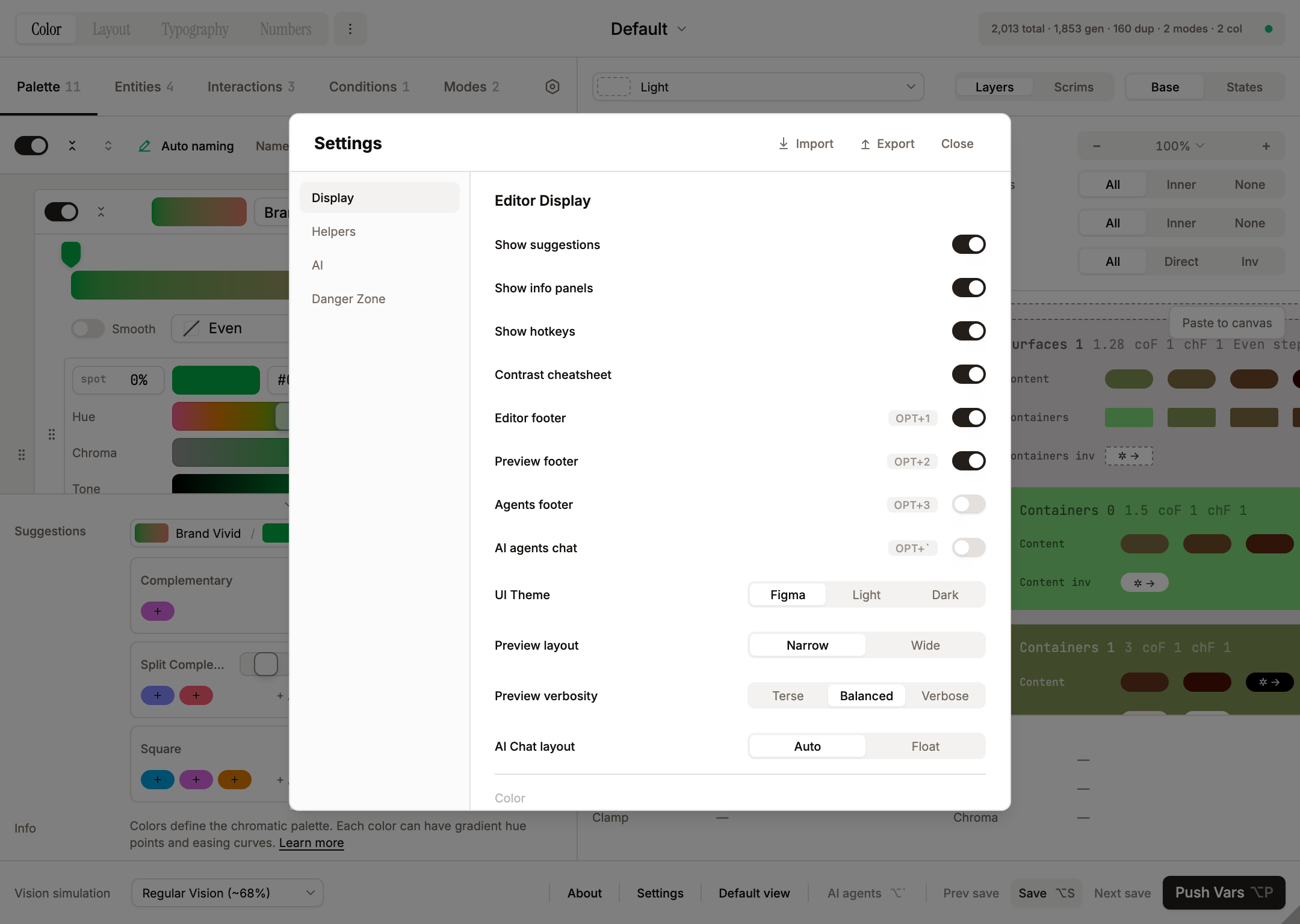
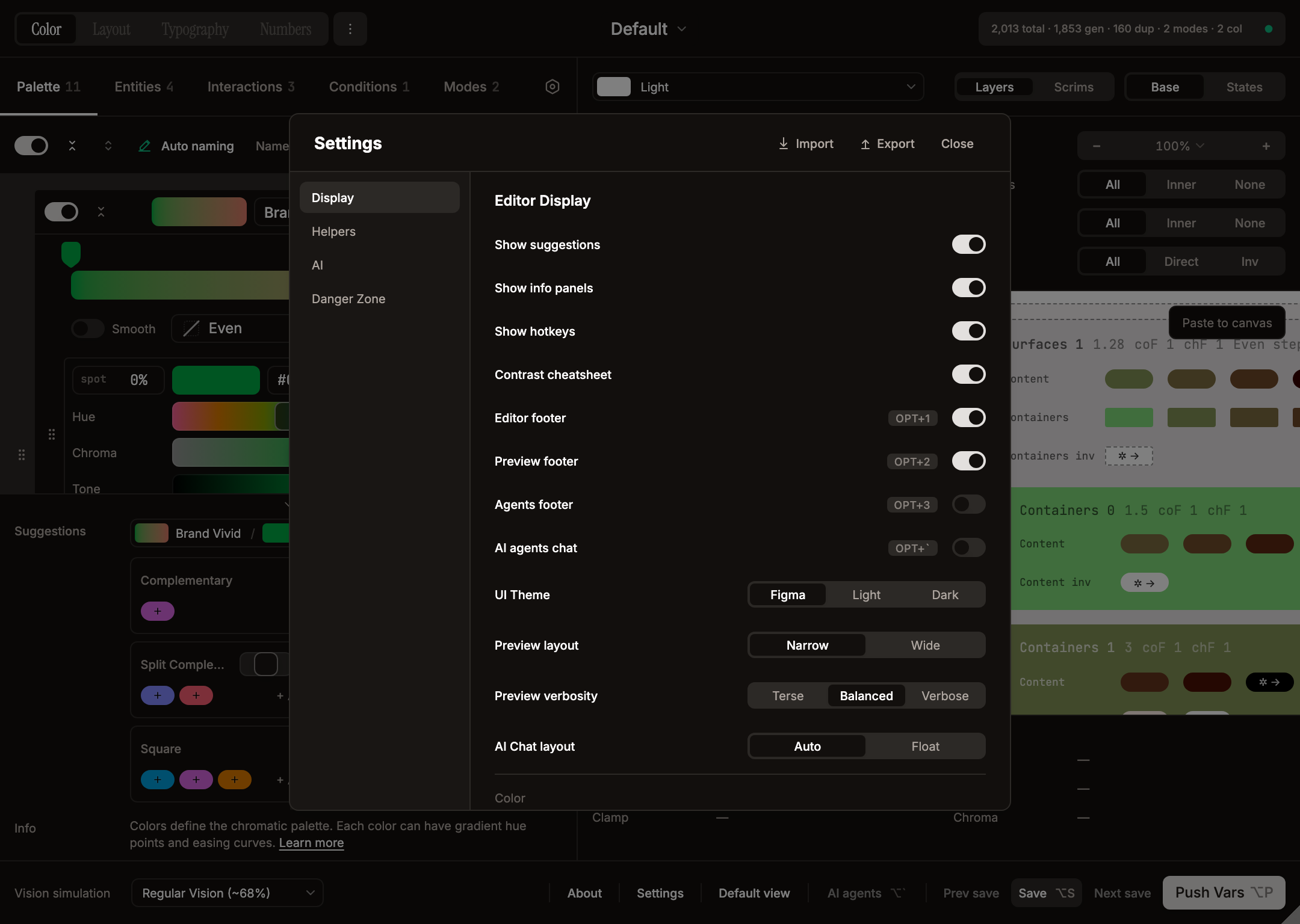
Accessible via the Settings button in the StatusBar (data-testid="settings-trigger"). The Settings-dialog values are per-user, cross-file — they are written to figma.clientStorage["systema_user_settings"] so they follow the user across every Figma file (desktop or web Figma). File-level layout state (zoom, split percent, scroll positions, sectionStates, selected theme, …) stays in the file's pluginData, and API keys also live in figma.clientStorage (per-user, never shared with collaborators).
The dialog has a left sidebar with four sections — Display, Helpers, AI, Danger Zone — and a header with Import / Export and Close buttons. A Reset all button sits at the bottom of the sidebar and only appears once a setting differs from its default. Below the Danger Zone nav, a small Made by Jamil Lazarev link (→ jamillazarev.com) credits the author.
Display
The Display section opens with an "Editor Display" group, then a "Color" subhead.
- Show suggestions — toggle the suggestion footer panel. Drives both the Color Suggestions block (Palette tab — harmony chips: Complementary / Analogous / Triadic / Square / Tetradic / Split) and the Entity Suggestions block (Entities tab — per-pattern contrast / level / step pill rows)
- Show info panels — toggle the descriptive info blocks inside editor sections
- Show hotkeys — toggle the keyboard shortcut hints in the editor
- Contrast cheatsheet — toggle the WCAG/APCA cheatsheet below the Contrasts field in entity editors
- Editor footer — toggle the editor's bottom info panel (combines color suggestions, info text, hotkeys). Hotkey:
Opt+1 - Preview footer — toggle the preview's bottom info panel (hovered swatch / surface / container readout with clamp + chroma diagnostics). Inverse rows append an
invtoken to the entity name (Containers inv 0,Content inv 2) so direct vs inverse stays unambiguous; the suffix is added at render time and survives interactive composite cells where the displayed colour updates live with hover/press/drag events. Hotkey:Opt+2 - Agents footer — toggle the agents footer panel under the chat. Hotkey:
Opt+3 - AI agents chat — toggle the chat panel itself. Hotkey:
Opt+` - UI Theme (Figma / Light / Dark) —
Figmafollows the host theme;Light/Darkpin the plugin UI explicitly. Swatch outlines adapt automatically - Preview layout (Narrow / Wide) — Narrow: surfaces side-by-side, content stacked inside. Wide: surfaces stacked, content/containers laid out horizontally. Wide also flows per-condition groups (
Enabled|Selected|Disabled) horizontally insideEntityRowViewso they read at a glance instead of stacking vertically - Preview verbosity (Terse / Balanced / Verbose) — controls how much textual scaffolding the preview shows. Verbose =
c-N N.NN+coF/chFlabels around each swatch + 96-px wide swatch pills. Balanced (default) = labels dropped, swatches collapse to 40 × 16. Terse = every label hidden (section / row / condition headers + per-swatch labels). Paste-to-canvas walks the live DOM, so what isn't rendered isn't exported - AI Chat layout (Auto / Float) — Auto docks the chat as a third panel when the window is wide enough (≥1440px —
EDITOR_PANEL_WIDTH + MIN_PREVIEW_WIDTH + CHAT_PANEL_WIDTH = 480 × 3) and floats it otherwise; Float forces the floating overlay regardless of width
Color (Display)
Under a "Color" subhead at the bottom of the Display section:
- Preview filters — show/hide the entire preview filter block (entity color overrides, display filters)
- Vision simulation (Preview / Editor / All) — controls whether the active CVD filter applies just to preview swatches, the editor only, or every pixel in the plugin UI
Helpers
- Autosave — toggle plus a numeric input (10–600 seconds, default 60). Arrow keys step by 10s, Shift+arrow by 60s. When autosave fires, the Save button shows the same wave animation as a manual save
- Preview transitions — toggle plus a numeric input (50–500 ms, default 150). Drives the global
--systema-transition-durationCSS variable; flipping the switch off collapses every transition in the UI to 0 ms (state changes apply instantly). The override is scoped to elements that already declaredtransition-*(utility classes or inline styles), so popovers/tooltips that rely on Radix's inlinetop/left/transformaren't accidentally interpolated and snap into place as before
Color (Helpers)
Under a "Color" subhead at the bottom of the Helpers section:
- Swatch borders (Auto / Always / Hidden) — adds dashed borders when the contrast between a swatch and its background is too low to distinguish edges. Auto = only when needed
AI
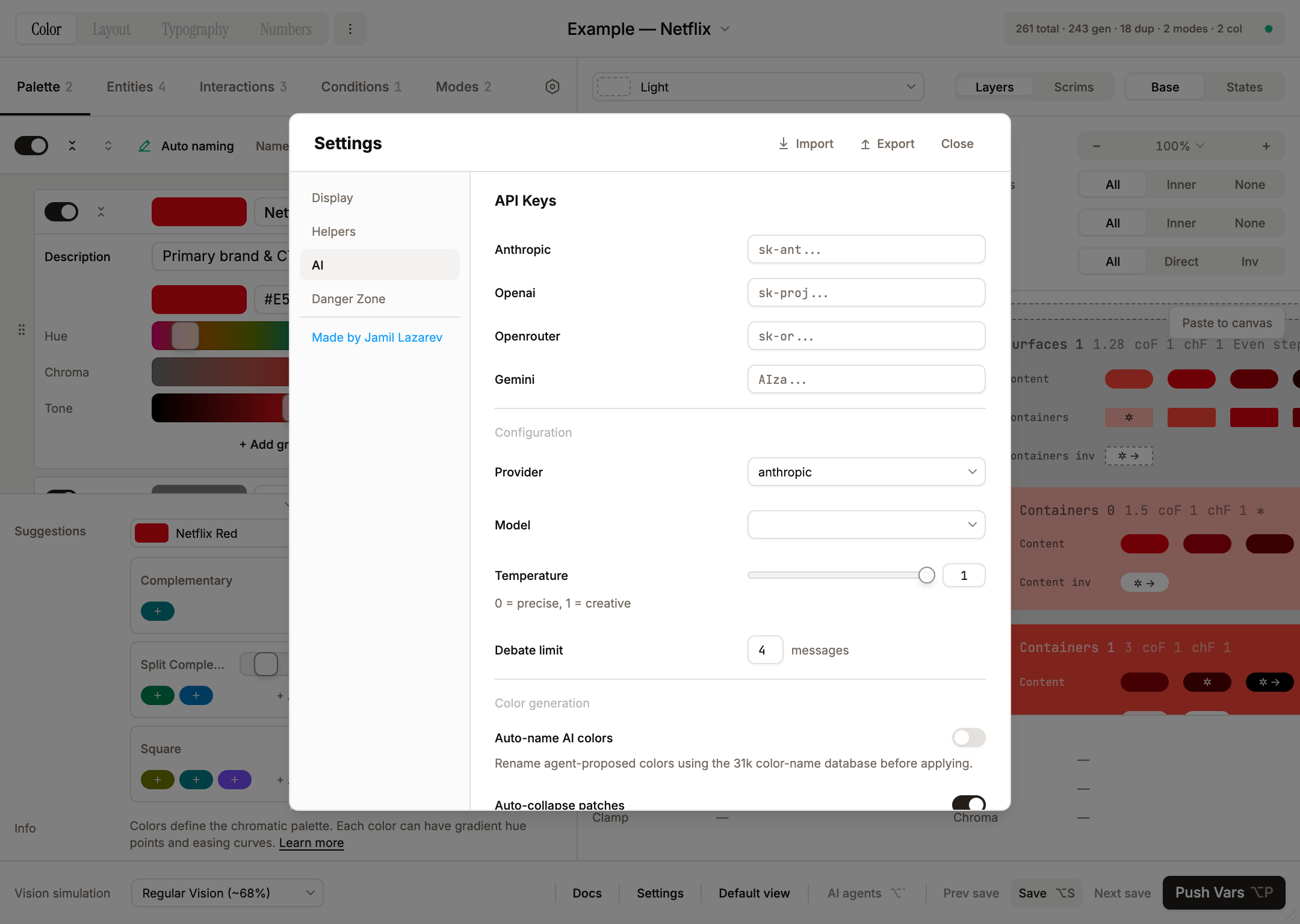
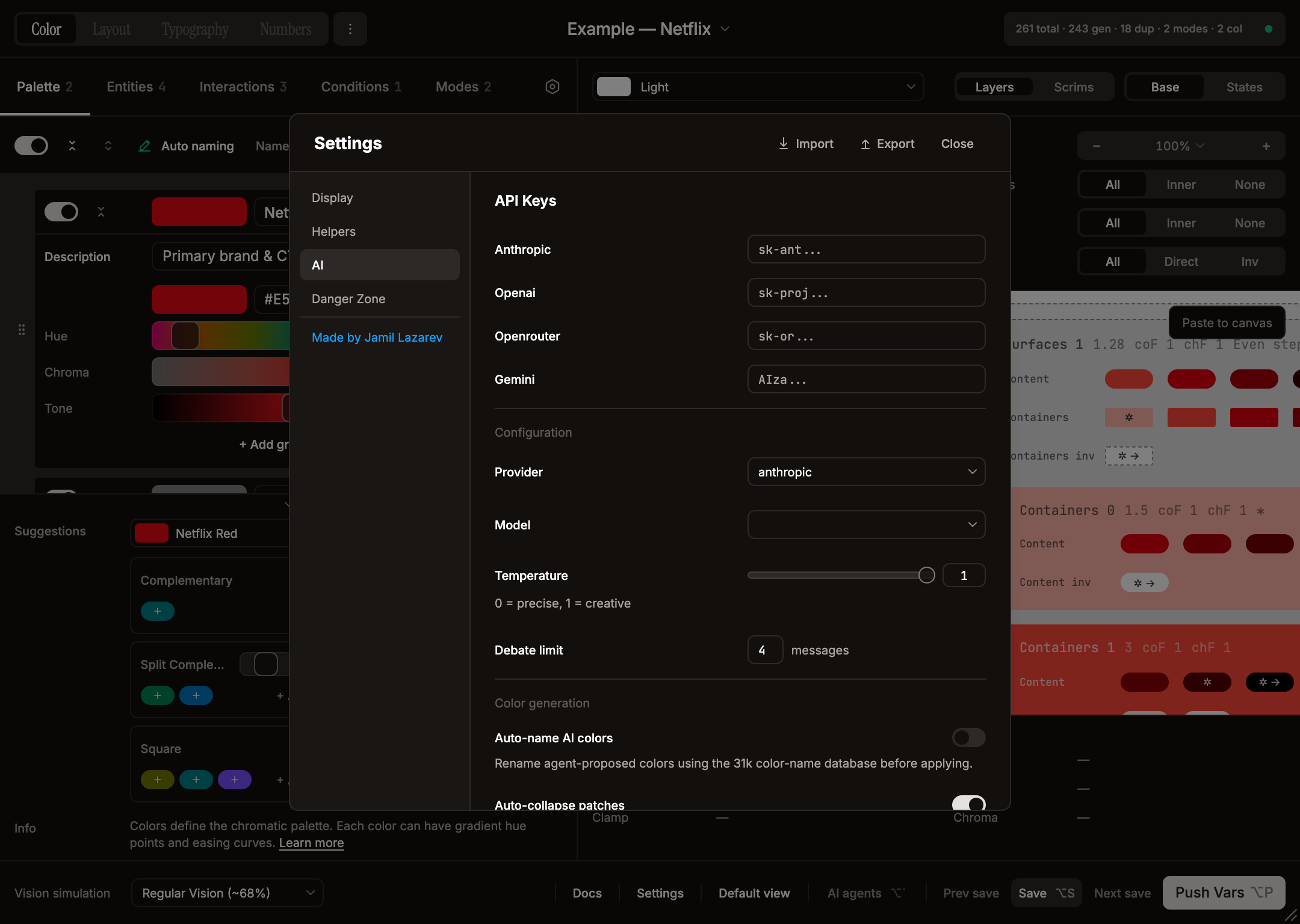
The AI section is split into three subheads: API Keys, Configuration, and Color generation.
API Keys
- Anthropic / OpenAI / OpenRouter / Gemini — one password field each, with an inline status indicator (spinner → green check / "Invalid"). Keys are stored per-user in
figma.clientStorage(private, not shared with collaborators) and validated live on an 800 ms debounce — OpenRouter is validated against its auth-key endpoint (https://openrouter.ai/api/v1/auth/key), while Anthropic / OpenAI / Gemini hit their models endpoints. Image/screenshot attachments in chat currently require the Anthropic provider (other providers receive a text placeholder in place of the image); image analysis uses the model selected in Settings, not a fixed model. Text chat works on all four providers
Configuration
- Provider (dropdown) — pick which provider drives the chat. The dropdown is filtered to providers whose key has validated; when exactly one key is valid the provider is auto-selected and the dropdown is disabled; with zero valid keys the full four-provider list is shown so you can switch and then add the key
- Model — for OpenRouter, a free-text field (e.g.
openai/gpt-4o); for every other provider, a dropdown populated dynamically from that provider's/v1/modelsendpoint after its key validates (Anthropic returns the live Claude lineup, OpenAI is filtered to GPT-4 / GPT-3.5 / o1–o4, Gemini pulls models withgenerateContentsupport). No model is hardcoded in the UI - Temperature — slider + numeric input (0 to 1 for Anthropic, 0 to 2 for the others; the helper text reads "0 = precise, {max} = creative"). Shift snaps to 0.5 steps, Alt to 0.01; double-click resets to 1
- Debate limit — max sequential responses (2–20, default 4) when you
@allor start a multi-agent debate. Arrow keys step by 1
Color generation
- Auto-name AI colors (default off) — rename agent-proposed colors using the 31k color-name database before applying
- Auto-collapse patches (default on) — AI patch confirmation cards open collapsed by default in the chat (helps once the chat fills with multi-step plans)
Per-agent personality knobs (model, temperature, verbosity, skepticism, management, playfulness) live on the Agent Dialog (the gear / info buttons on each agent card in the chat's Agents tab), not in this Settings dialog — see AI Features → Per-agent settings. The Settings header has Import / Export buttons that round-trip the entire dialog (Display + Helpers + AI, including API keys and per-agent overrides) as a systema-settings.json file.
Reset all
The Reset all button at the bottom of the sidebar restores most Display / Helpers / AI options to their defaults in one shot (it does not currently reset the contrast cheatsheet toggle, preview filters, AI temperature/model/provider, or the colour-generation toggles); a confirmation dialog offers an optional "Also clear API keys" checkbox. The button is hidden when nothing has been changed. Themes and chat history are not affected.
Danger Zone
| Action | What it does |
|---|---|
| Agent edit permissions (toggle) | managed-only (default): agents only see and modify variable collections that Systema itself created. all: agents can also read and modify foreign variable collections (other plugins, libraries, hand-made). They still cannot draw on the canvas. Implemented in src/plugin/code.ts figma-context-query / figma-rename-collection handlers, gated by the systema_managed plugin-data tag |
| Delete plugin data | Wipes all themes, layout, settings, chat history, and Systema's collection tags. Existing variables stay in Figma but become unmanaged; returns the plugin to the welcome screen. Optional checkboxes: "Keep agent settings" (default on) and "Keep API keys" (default on, shown only when a key is set) |
| Delete Systema variables | Removes every Systema-created variable collection. Config is preserved — Push Vars rebuilds the set. The confirm dialog runs a live usage scan and shows the variable count |
| Delete other variables | Removes every non-Systema variable collection; Systema's own collections are untouched. Useful for cleaning up legacy variables |
| Unbind variables from nodes | Detaches every node binding to Systema variables without deleting the variables. Nodes keep their current colors; the variables stay in the file |